Time blocking without scheduling every minute

Time blocking works best when you protect a few theme blocks instead of painting every minute onto a calendar. Put fixed anchors in first, add one focus block for the hardest task, pad your estimates by about 25%, leave buffer, and move unfinished work rather than deleting it. The same skeleton fits a meeting-heavy job, a school day, a parent's calendar, and a day planned around ADHD; only the labels change.
What time blocking is (and what goes wrong)
Classic time blocking assigns work to named stretches of the day: deep work 9 to 11, admin 11 to 12, and so on. Some people find that calming. For many others it turns into a fragile contract that breaks the first time a meeting runs long or a child misses the bus.
Where it usually goes wrong:
- Optimistic estimates with no padding
- Too many tiny blocks and no buffer
- Deleting unfinished work instead of moving it
- Treating the calendar as a moral scorecard
Modified time blocking fixes that with fewer blocks, theme labels, visible buffers, and a plan that survives a messy afternoon. Guides aimed at ADHD time blindness recommend the same things: pad blocks, add transitions, use timers (Healthline: How to Time Block with ADHD). Those mechanics help anyone who underestimates how long things take.
The five rules
- Block themes, not tiny tasks. "Deep work," "Admin," "Errands," "Class," "Pickup," "Recovery." Choose the specific task when the block starts.
- One protected focus block beats three fantasy ones. Guard the stretch of the day when you actually think well.
- Estimate, then add about 25%. Then add time for transitions (Healthline).
- Leave buffer on purpose. Empty space soaks up overruns.
- When a block blows up, move it. Don't delete it. Drag it to the next open slot or to tomorrow.
The flexible day template
Fixed anchors (can't move)
| Anchor | Time | Prep needed |
|---|---|---|
Examples: stand-up, class, school run, therapy, a call with a hard deadline.
One focus block (protect this)
- Start and stop:
- Task name:
- First physical action (open the file, write one sentence, put shoes by the door):
- Timer:
- Phone rule:
Theme blocks (four more at most)
| Theme | Window | Candidate tasks (pick one when the block starts) |
|---|---|---|
| Focus, study, or deep work | ||
| Admin and email | ||
| Meetings, class, or care | ||
| Life, errands, or recovery |
Buffers and shutdown
- 10 to 15 minutes after anything with other people
- A named transition between tasks that don't belong together
- A flex block late in the day for overflow
- A five-minute shutdown: note what happened, move leftovers, and name tomorrow's first action (it goes well with the weekly review for work)
Worked example (professional day)
- Anchors: stand-up 9:30, client call 2:00
- Focus: 10:00 to 11:30, drafting the proposal (first action: open last week's outline)
- Admin: 11:30 to 12:00
- Lunch and buffer
- Meetings grouped from 1:00 to 3:00
- Flex from 3:00 to 4:00 for overflow
- Shutdown at 4:55
When the client call runs to 2:40, the flex block absorbs it. The focus block already happened that morning, so the day still counts.
How this looks for different people
Working professionals
Group your meetings together. Protect one deep-work block on your lightest meeting day (a later guide covers deep work in more detail). Use an admin window so you aren't living in email, and end the day with the five-minute shutdown from the template.
Busy parents
Your anchors are the school run, pickup, and bedtime. Focus might be 45 minutes after drop-off or after the kids are in bed, and that is still one real block. Theme blocks for groceries and laundry work better than hoping for an empty afternoon. For mornings, see the kids morning checklist.
Students
Your anchors are classes and labs. Focus blocks go between classes, each with a written topic (see the exam-week schedule). Plan 25- or 50-minute study sessions rather than a blank "study all evening" slab. Give group study its own theme so it doesn't eat into time for studying alone.
People with ADHD
Practical support, not medical advice.
Use fewer blocks, and write a visible next physical action on the focus card. Timers and 25% padding matter more when time blindness is in play (Healthline). If a block fails, moving it instead of deleting it keeps trust with yourself. When starting is the hard part, a later guide covers body doubling.
Starting tomorrow (10 minutes)
- List tomorrow's fixed anchors.
- Place one focus block where your energy is highest.
- Add no more than three theme blocks.
- Draw two buffer gaps.
- Write the first physical action on the focus card.
That's a full day plan. Leave the white space empty.
Do it in Unmiss
Protect the focus block
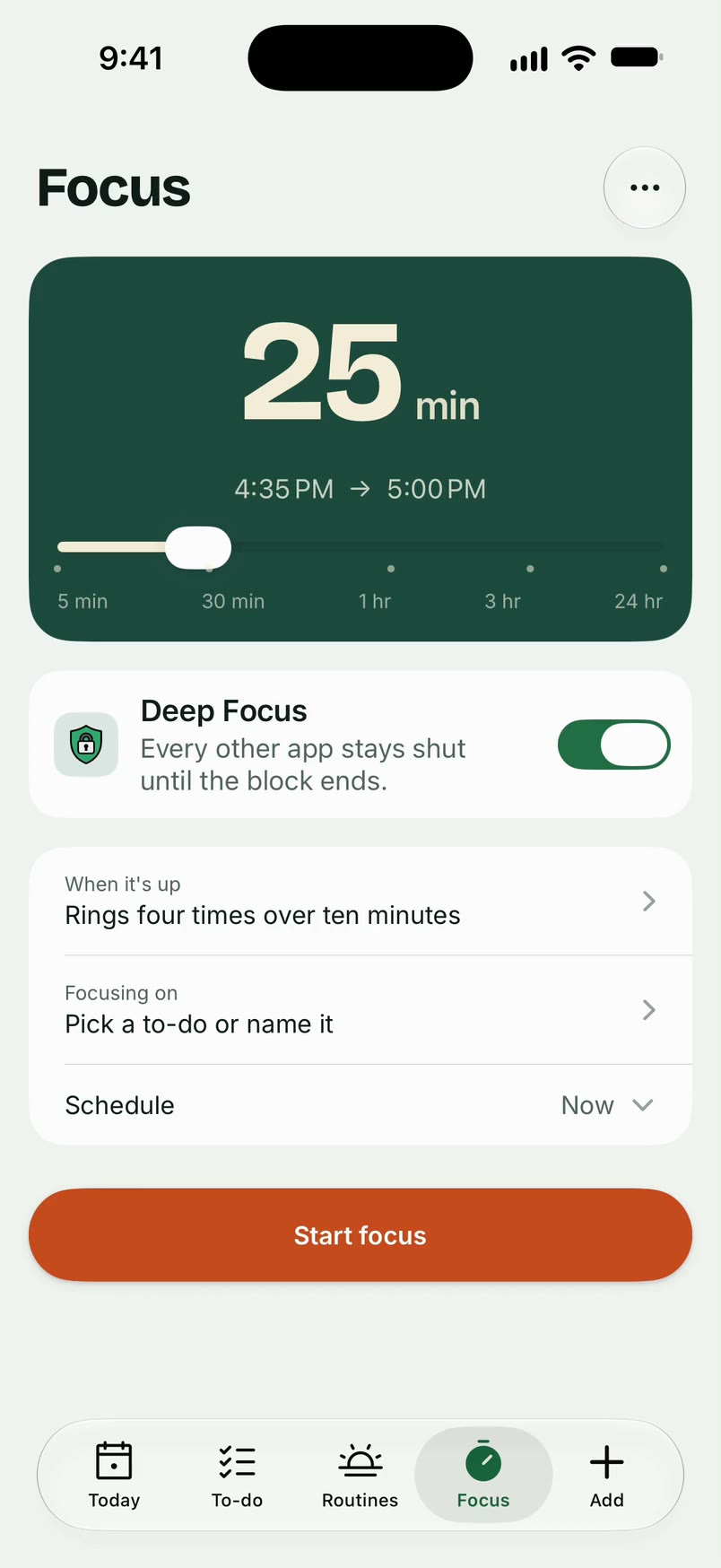
Unmiss Focus runs a timed focus block and can keep the apps you pick shut until it ends, and a routine can hold the shutdown card as steps. Plan my day shows how to put to-dos on a day without giving each one an hour. The paper template above is enough to start.

Questions
Do I need to schedule every hour?
No. Anchors, one focus block, a few themes, and some buffer are enough.
What if my job is only meetings?
Group them, reclaim one 90-minute block, and treat the rest as admin and recovery themes. Finding that block is what the weekly review is for.
Is time blocking the same as a to-do list?
No. A to-do list names the work, and time blocking gives that work a place on the clock.
What about Pomodoro?
Pomodoro is a timer pattern you use inside a focus block. Reach for it when starting is hard; it doesn't replace planning your theme blocks.
Sources
- Healthline: How to Time Block with ADHD (padding, timers, modified blocking)
More guides

Body doubling for ADHD: how to run a session (with a script)
What body doubling is, how to run a 45-minute session, a partner script, and how light accountability differs from sharing private steps.
How to stop doomscrolling (at night and in the morning)
Stop doomscrolling at night and in the morning: a phone-setup checklist, things to do instead, and short scripts for ADHD, parents, students and work.