How do I plan to-dos without giving each one a time?
In Unmiss, you plan a to-do for a day and skip the hour. Add it, tap Today or Pick a day, and it shows up on that day's list. Give it a time or a reminder only when you want one. Anything you didn't get to comes back under "Planned earlier", and nothing is crossed off until you tick it.
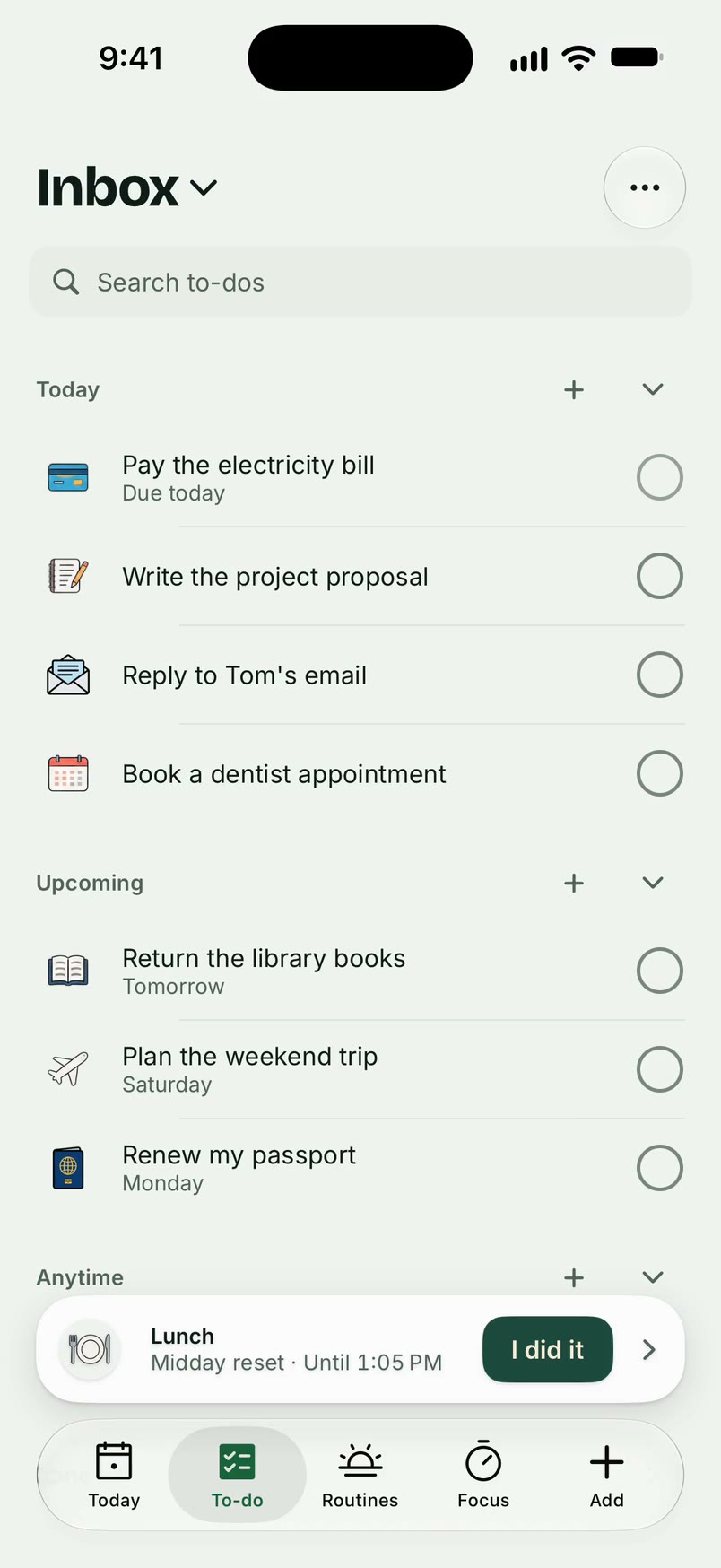
How it works
- Tap + and type the to-do.
- Tap Today, or Pick a day for another one. A to-do with no day waits in your Inbox.
- Set its priority: High, Medium or Later. What matters sits at the top.
- Open it to add notes, subtasks or a due date. The due date is separate from the day you plan to do it.
- Tick it when it's done.
What it doesn't do
- Finishing every subtask doesn't tick the to-do. You tick it yourself.
- A to-do never ticks itself because its day or time has passed.
- It doesn't remind you unless you ask it to.
Questions
What happens to to-dos I didn't get to?
They come back under "Planned earlier", one at a time, and you choose Today, Pick a day or Back to list.
Can I focus on one to-do?
Yes. Open it and tap "Focus on this" to start a focus block for it. See focus.
Can a to-do repeat?
Yes. Set it to repeat, for example every Monday.
Updated 16 October 2026
