How do I keep apps shut while I focus?
Start a focus block in Unmiss and turn on Deep Focus. The apps you pick stay shut until the block ends. Open one and you'll see a screen that says it "stays shut until your focus block ends". When the time is up, the block ends by itself, quietly or with one notification.
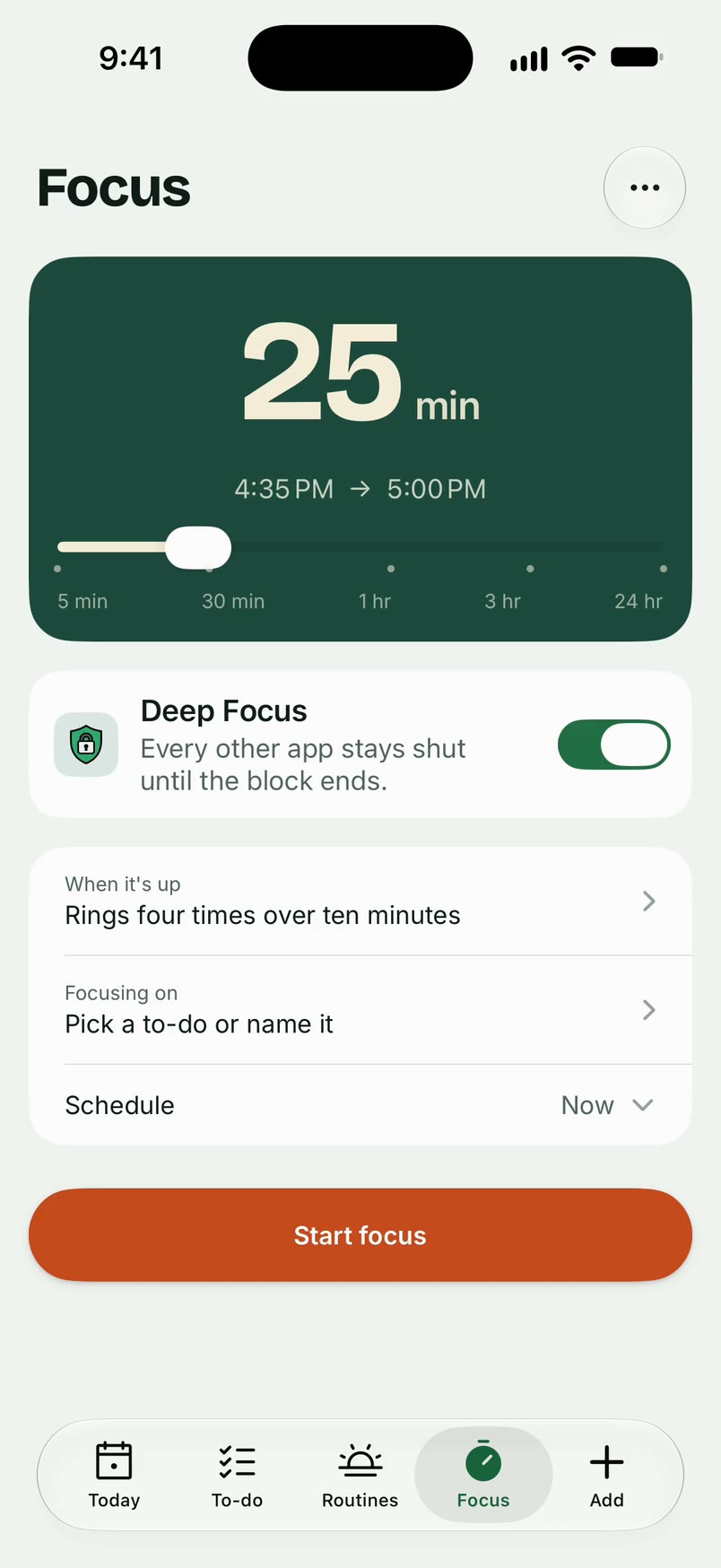
How it works
- Open Focus and set the length, from 5 minutes up to a whole day.
- Tap "Focusing on" to pick a to-do or name what you're working on. You can also start from a to-do with "Focus on this".
- Choose how it ends: quietly, with one notification, or four rings over ten minutes.
- Turn on Deep Focus and pick the apps to keep shut. The first time, you'll be asked to allow Screen Time access.
- Tap Start focus.
What it doesn't do
- There are no break cycles: a block is one stretch of time.
- Ending a block never ticks off its to-do. You tick it yourself.
- Deep Focus needs a block of 15 minutes or more, and it only shuts the apps you picked.
Questions
Can I end a block early?
Yes. Tap End focus and confirm. With Deep Focus on, you'll also confirm it's you.
Can I plan focus time for later?
Yes. Set a time under Schedule and Unmiss reminds you when it's due.
What happens if I open a blocked app?
You see Unmiss's screen with one button, OK, which closes it. There's no way through until the block ends.
Updated 16 October 2026
