How do I set up a routine that walks me through each step?
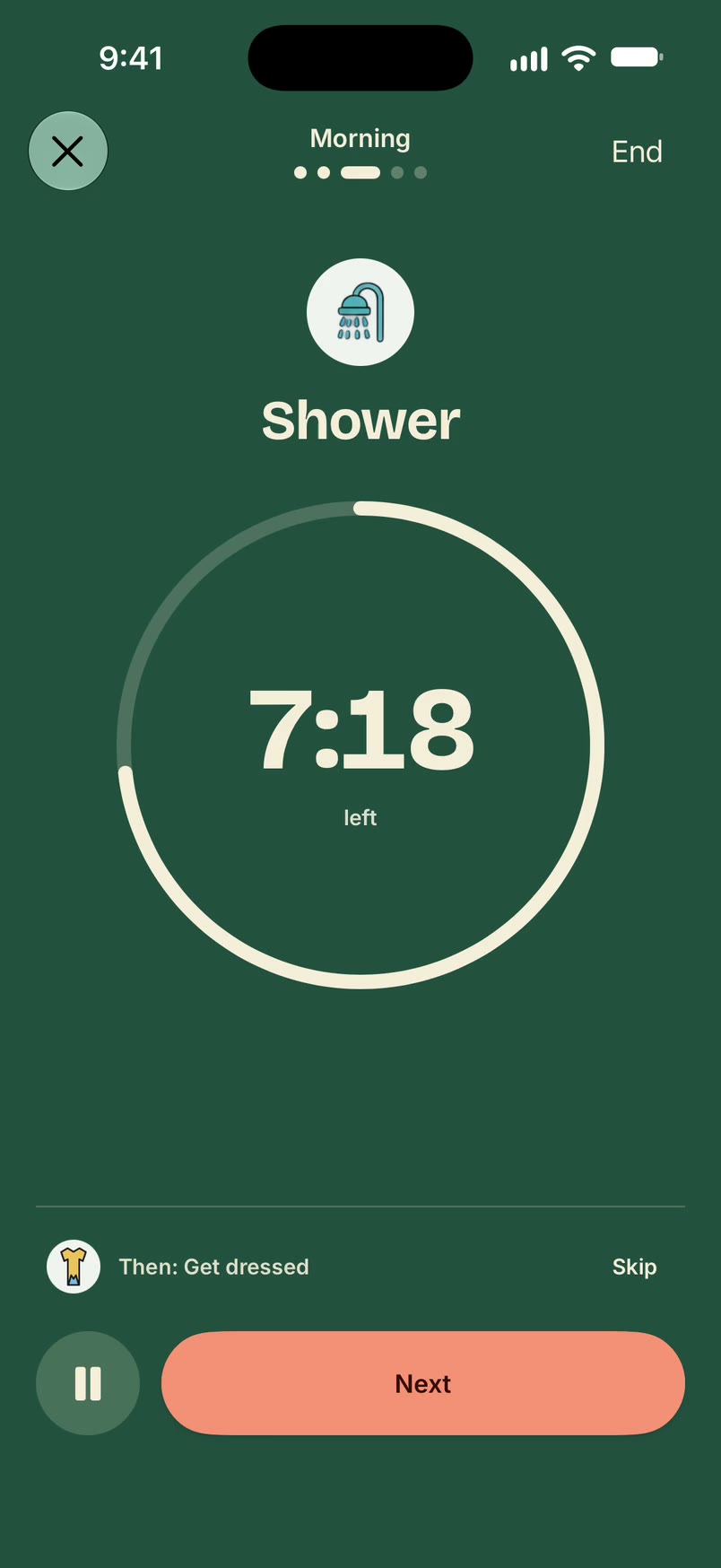
In Unmiss, a routine is a list of steps you start in one tap. It shows one step at a time, runs a timer on any step you've timed, and tells you what's next. Start from one of 75 ready-made routines or build your own, then run it whenever you like or put it on a schedule.
How it works
- Open Routines and pick a ready-made routine, such as a morning, evening or workout routine, or start a new one.
- Add your steps. Give a step a time if you want a timer on it, and choose whether it rings when the time is up.
- Tap Start. Done moves you on, Skip skips a step, and "Then:" shows what comes next.
- At the end you'll see "That's the routine done."
- If you want, put it on a schedule. You'll get a heads-up a few minutes before it starts.
What it doesn't do
- It never marks a step done for you. A step is done when you say so.
- A routine you haven't scheduled never starts by itself.
- It doesn't plan your day by the hour. Your to-dos sit on a day, with a time only when you want one.
Questions
Can someone else know if I don't do it?
Yes, if you share the routine with a partner. See accountability partner.
Can I pause a routine while I'm away?
Yes. Pause it until a day you choose, and it picks up again then.
What if I miss a scheduled routine?
It stays open until you answer. Nothing is marked done because time passed.
Updated 16 October 2026
