How do I plan my day without scheduling every hour?
Put each to-do on a day and skip the hour. In Unmiss you add what you want to do today, add a time only to the things that need one, and run your routines and focus blocks from the same page. Anything you didn't get to comes back under "Planned earlier", and nothing is ticked off until you say so.
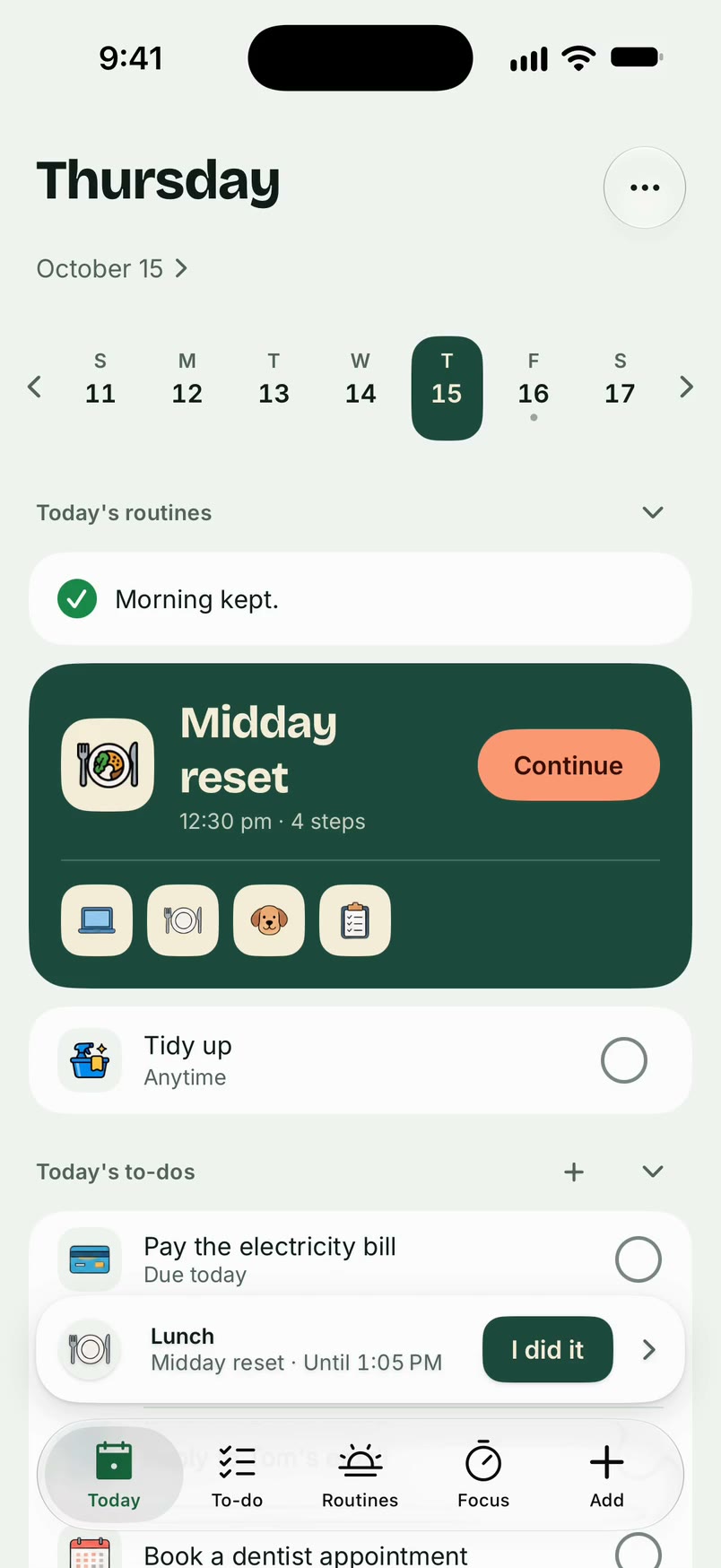
Plan your day in Unmiss
- Tap + and type a to-do. From the Today tab it is planned for today already; from the To-do tab, tap Today or Pick a day. Either way it has no time.
- Set its priority: High, Medium or Later, so what matters sits at the top.
- Add a time or a reminder only to the things that need one.
- Start a routine when it's time, and go one step at a time.
- Set aside a focus block for the work that needs a stretch of time.
- Tick things off as they happen.
See the day as a list or a timeline
Today shows your day as a list. With a subscription, the Today menu also offers a timeline, under "Show today as", and an evening review ("Review your day") to close the day.
What happens to what you didn't get to
It comes back under "Planned earlier", one at a time, and you choose Today, Pick a day or Back to list. Nothing is crossed off because a day ended.
What it doesn't do
- It doesn't plan your day by the hour. Your to-dos sit on a day, with a time only when you want one.
- A to-do never ticks itself because its day or time has passed.
- It doesn't remind you unless you ask it to.
The details are on the to-dos, routines and focus pages.
Questions
Do I have to give every task a time?
No. Day-only is the default. A time or a reminder is there when you want one.
Can I plan a day other than today?
Yes. Tap Pick a day when you add a to-do, and it shows up on that day's list.
Can I plan routines into my day?
Yes. Start a routine yourself whenever you like. With a subscription you can also put it on days you choose and get a heads-up before it starts.
Is it free?
Yes. Unmiss is free to download. Free includes to-dos with no limit, one routine you start yourself with timed steps, and focus time up to 30 minutes. A subscription adds scheduled routines, more routines and lists, longer focus, Deep Focus, the Today timeline, an evening review, and sharing with a partner.
Updated 19 October 2026
