How do I build a morning routine I will follow?
List the few things you do each morning in order, put a wake-up time on the first one, and run the list one step at a time. In Unmiss you can start from a ready-made morning routine, adjust its steps and times, and tap Start. Each step is done when you say it is.
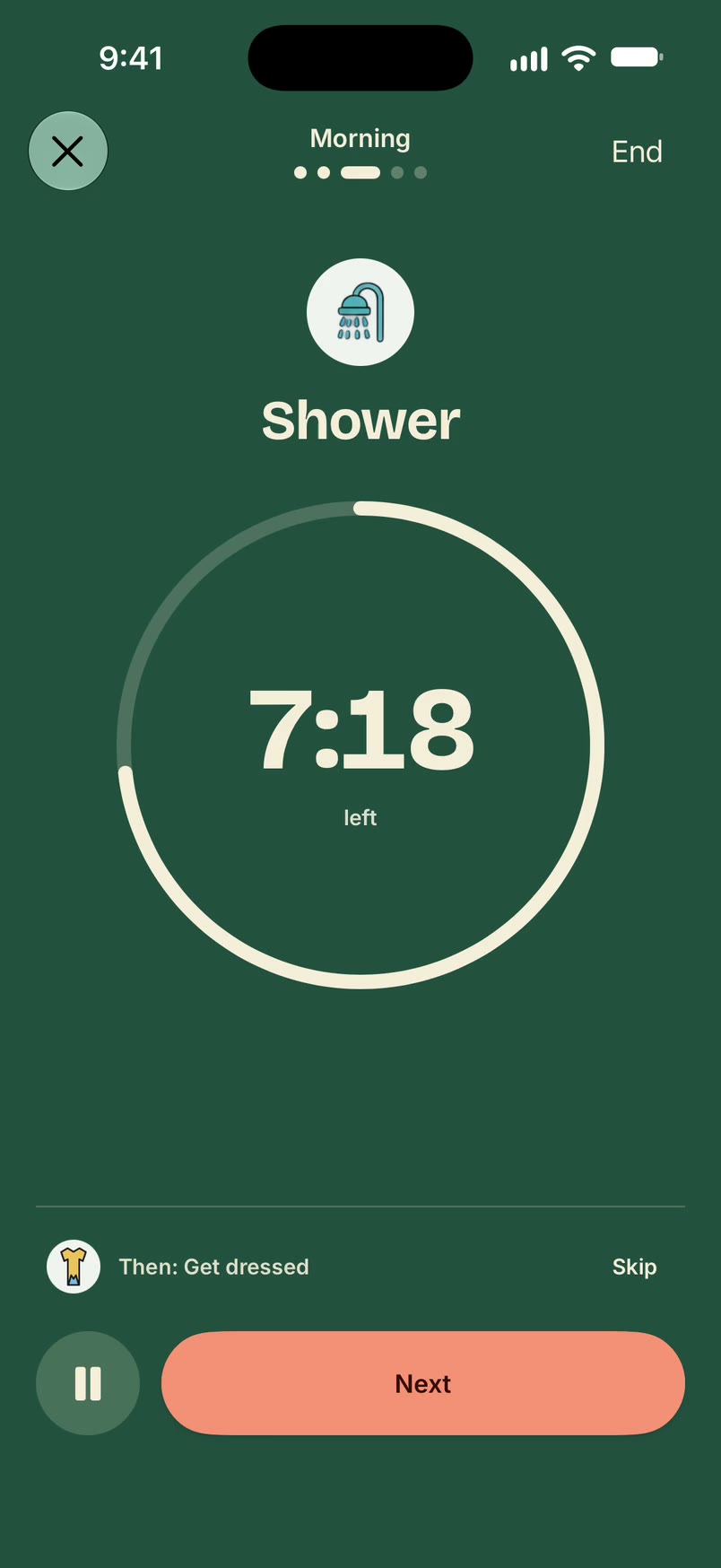
Build a morning routine in Unmiss
- Open Routines, tap +, and choose a ready-made morning routine, or start a new one.
- It opens with its steps and suggested times. Edit them so they match your morning, and give a step a time if you want a timer on it.
- Save it. Each morning, open the routine and tap Start.
With a subscription you can also give the routine days of its own and turn on a heads-up before it starts.
Ready-made morning routines
These are in the library with suggested times. Each one links to its own page.
Morning
- 7:00 AM Wake up
- 7:10 AM Take meds
- 7:20 AM Shower
- 7:40 AM Get dressed
- 7:55 AM Commute to work
Early start
- 5:30 AM Alarm one
- 5:35 AM Feet on floor
- 5:45 AM Coffee
- 7:00 AM Out by seven
Productive morning
- 6:30 AM Wake up
- 6:40 AM Drink water
- 6:45 AM Make a list
- 6:55 AM Open laptop
- 7:00 AM Deep work
Also in the library: slow morning, weekend morning, leave the house, and the rest of the library for other parts of the day.
What it doesn't do
- It never marks a step done for you. A step is done when you say so.
- A routine you haven't scheduled never starts by itself.
Questions
How long should a morning routine be?
As long as you want. The ready-made morning routines have three to five steps, and you can add or remove steps.
Can I have a different routine for weekends?
With a subscription, yes. You can keep more than one routine, and each one has its own days, so a weekday morning and a slower weekend morning can sit side by side.
Is a morning routine free?
Yes. Unmiss is free to download, and one routine you start yourself is free, with timed steps. Putting a routine on set days, and keeping more than one, come with a subscription.
What if I skip a step?
Tap Skip and the routine moves on. Nothing is marked done unless you say it is.
Updated 19 October 2026
