How do I plan a daily routine and stick to it?
Write the routine as a short list of steps in the order you do them, give it a start time, and run it one step at a time. In Unmiss you pick a ready-made routine or build your own, tap Start, and say when each step is done. Run it whenever you like.
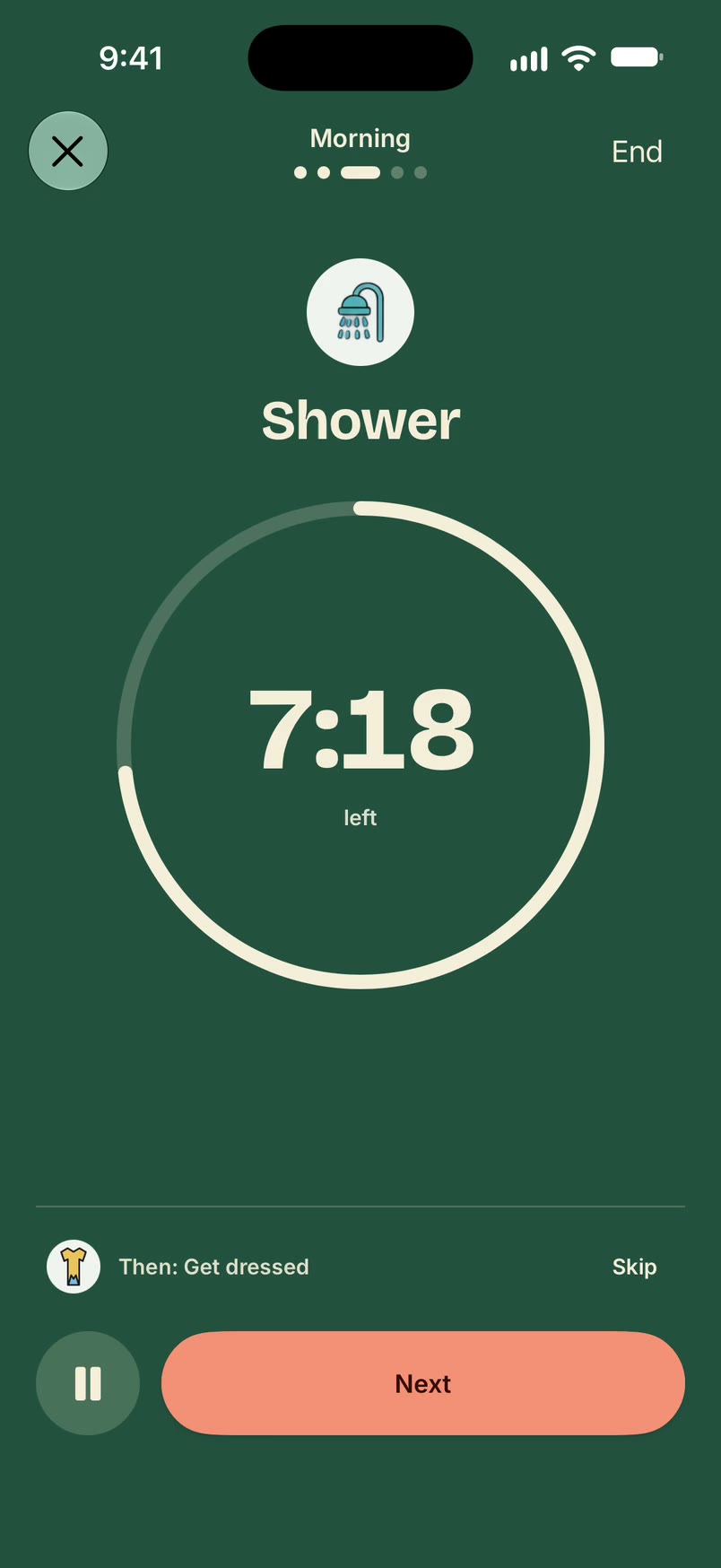
Plan a daily routine in Unmiss
- Open Routines, tap +, and pick a ready-made routine, such as a morning, evening or workout routine, or start a new one.
- It opens with its steps and suggested times. Add or change steps, and give a step a time if you want a timer on it. Then save it.
- Open the routine and tap Start. On a step with a timer, Next moves you on; on a step without one, Done does. Skip skips a step, and "Then:" shows what comes next.
With a subscription you can also put a routine on days you choose, and turn on "Heads-up before it starts" for a notification a few minutes before the first step.
What a daily routine plan needs
- Steps in the order you do them.
- A start time, so the rest of the times follow from it.
- Steps small enough to finish, such as "Keys and wallet" or "Brush teeth".
An example from the library
This is the library's Morning routine, with its suggested times starting at 7:00 AM. Every time can be changed.
Morning
- 7:00 AM Wake up
- 7:10 AM Take meds
- 7:20 AM Shower
- 7:40 AM Get dressed
- 7:55 AM Commute to work
The routine library has 75 ready-made routines like it, grouped by life area.
What it doesn't do
- It never marks a step done for you. A step is done when you say so.
- A routine you haven't scheduled never starts by itself.
- It doesn't plan your day by the hour. Your to-dos sit on a day, with a time only when you want one.
Questions
Is Unmiss free?
Yes. Unmiss is free to download. Free includes to-dos with no limit, one routine you start yourself with timed steps, and focus time up to 30 minutes. A subscription adds scheduled routines, more routines and lists, longer focus, Deep Focus, the Today timeline, an evening review, and sharing with a partner.
How many ready-made routines are there?
75, grouped by life area, from mornings and commutes to workouts, study sessions and weekly planning. You can also build your own.
Can I run a routine on a schedule?
Yes, with a subscription. Put it on the days you choose, and turn on a heads-up before it starts if you want one. A routine you haven't scheduled only starts when you tap Start.
What if I skip a step?
Tap Skip and the routine moves on. The step is recorded as skipped, a step you never reach is recorded as not reached, and only the steps you mark done count as done.
Updated 19 October 2026
